Understanding SMS Code Verifiers: Ensuring Secure Access
Introduction
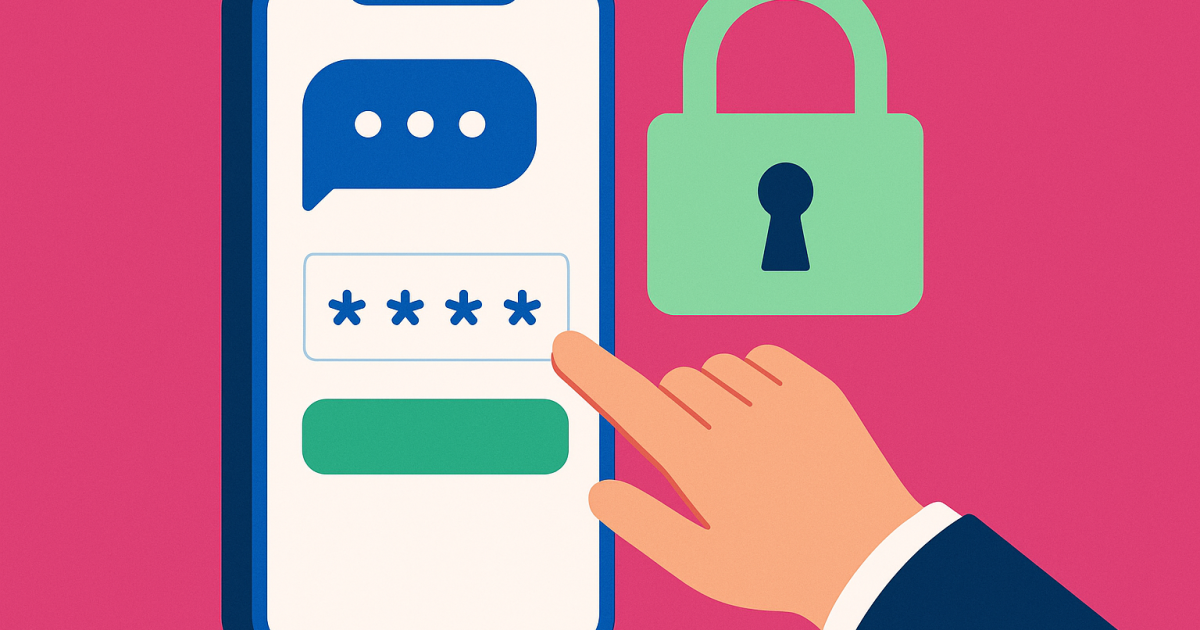
An SMS code verifier is a crucial tool in today's digital landscape. It acts as a barrier against unauthorized access to your accounts by sending a one-time code via text message (SMS) that you need to enter to proceed with actions like logging in or confirming identity. As more services rely on two-factor authentication (2FA) to enhance security, understanding how SMS code verification works will equip you with knowledge to safeguard your online presence. However, it's important to recognize the limitations and potential risks of relying exclusively on mobile numbers for security.
What it means / How it works
Essentially, an SMS code verifier is an authentication method that uses a mobile phone number to enhance your account's security. The process usually unfolds as follows:
- When you attempt to log in to an account or make sensitive changes, the system prompts for verification.
- Your registered phone number receives an SMS containing a unique code, typically composed of six to eight digits.
- You are required to enter this code back onto the website or application you are accessing.
- If the code matches what the server sent, you gain access or complete your action.
This method ensures that even if someone knows your password, they also need access to your phone to log into your account. While this might sound foolproof, let's look at some practical scenarios illustrating its usefulness and common challenges.
Practical scenarios
- Online Banking: When logging into your bank account from a new device, you might receive an SMS code to enter, ensuring that it's really you accessing your funds.
- Social Media Platforms: After changing your password or attempting to log in from another device, a code is sent to confirm your identity.
- Email Account Security: Triggering an email account login from an unrecognized device usually prompts SMS code verification to secure your information.
- E-commerce Checkout: Before completing an online purchase or payment, customers may be required to validate their identity through SMS verification.
- Account Recovery: If you've forgotten your password, you can request a reset code sent via SMS to recover access to your account securely.
- Subscription and Update Validations: SMS verification can confirm service renewals or changes in billing to prevent unauthorized actions.
- Two-Step Verification: Many platforms now recommend SMS as a second step, where you first enter your password and then submit the SMS code.
- Platform Registration: New accounts among service providers often require SMS verification to reduce spam sign-ups and fraudulent actions.
- Secure Collaboration Tools: In platforms used for sensitive work documents, teams can authenticate new users via SMS to grant them access.
- Travel Booking Services: Purchasing tickets and reservations may necessitate SMS verification to ensure that the purchase is legitimate.
Step-by-step
Here’s how to proceed when your account requires SMS code verification.
- Initiate a Login or Action: Begin by entering your username/email and password on the login page of the service.
Example: You want to log in to your online banking app. - Receive SMS Code: After you press the login button, an SMS will be dispatched to your registered mobile phone with a verification code.
- Check Your Phone: Open your message app to locate the SMS that contains the code.
Ensure your phone is connected to the network to receive the message. - Enter the Code: Input the code from the SMS into the specified field on the website or application.
- Access Granted: If the code is correct, you will now have access to your account or card validations for transactions.
Be aware that codes typically have a limited time to be used—often ranging from 30 seconds to several minutes—so it’s best to enter them as soon as you receive them.
Safety/Privacy/Legal
SMS verification serves as an additional layer of security; however, it’s important to recognize some risks associated with this method:
- Phone Number Vulnerability: Your mobile number can be compromised with techniques like SIM swapping, putting your accounts at risk.
- Phishing Attempts: Fraudsters may attempt to trick you into giving away personal information or codes via deceptive SMS messages.
- Convenience vs. Security: While convenient, using SMS for verification may not always be secure compared to authenticator apps.
- Expired Codes: There's often a short window for code entry, which could genuinely lock you out if you're late to respond.
- Number Recycling: If you discontinue a mobile number, another person may acquire it and receive codes meant for you.
- Export and Storage Standards: Storing SMS verification codes might contravene some regulations relevant to data encryption and storage patterns.
Awareness of these safety issues is vital. The greater the vigilance deployed towards protecting your personal information, the better. Opting for hybrid methods, such as SMS paired with app verifiers or a biometric lock impression, can further protect your information.
Best alternatives
When considering alternatives to SMS code verifiers for securing your accounts, it's essential to explore more robust authentication methods.
- Authenticator Apps: Apps like Google Authenticator or Authy generate codes that are time-sensitive, and they're not influenced by SIM-based attacks. They don't require your phone number and work offline.
- Email Verification: Instead of sending codes via SMS, some platforms opt for sending them directly to your email. However, it's advisable to secure your email account just as rigorously.
- Security Tokens: Hardware tokens can be used to generate codes without requiring access to your phone, ensuring maximum security even if your device is compromised.
- PVA Codes: Solutions like PVA Codes offer SSL-enhanced verification services that can streamline account validation ways.
Frequently Asked Questions
Q1: What happens if I don’t receive my SMS verification code?
If you don’t receive your SMS code, check your mobile signal, ensure airplane mode isn't on, or your number is up-to-date. Trying to resend it after a moment can also help.
Q2: Can someone intercept my SMS verification codes?
While it's uncommon, sophisticated hacking techniques, like SIM swapping, can permit access to your SMS codes. It's advisable to pursue safer authentication methods.
Q3: Are SMS verification codes completely secure?
No, SMS verification codes aren't entirely secure due to vulnerabilities like SMS interception and phishing attempts. Using multi-factor authentication can improve security.
Q4: How long are SMS verification codes valid?
Typically, SMS verification codes are valid for only a few minutes to ensure urgency in access, but this can vary by service provider.
Q5: Is there a cost associated with receiving SMS verification messages?
It depends on your cellular plan. Standard fees might apply for receiving SMS messages, especially when abroad.
Q6: What should I do if I accidentally shared my SMS code with someone?
If you've shared your code, act immediately: change your password for the affected account and enable stronger login practices.
Q7: Can pets or fake numbers receive SMS verification codes?
With increasing risks of abuse, using pets or temporary numbers for receiving SMS verification can be blocks to accessibility over legitimate channels. Verify your number securely.
Q8: How do two-factor authentication (2FA) and SMS verification differ?
Two-factor authentication refers to the overarching method of requiring two elements for login—something you know (password) and something you have (your phone or an authentication app). SMS verification is just one option within 2FA.
Q9: Will I be charged international fees for receiving SMS verification messages abroad?
International charges can apply based on your mobile service provider, especially if roaming. It’s good to check before relying on SMS codes while traveling.
Q10: What should I do to improve my online security beyond SMS verification?
Opt for multi-factor authentication using trusted applications, configure strong passwords, and explore biometric options where available to enhance your online security.